Linux Hardening 101
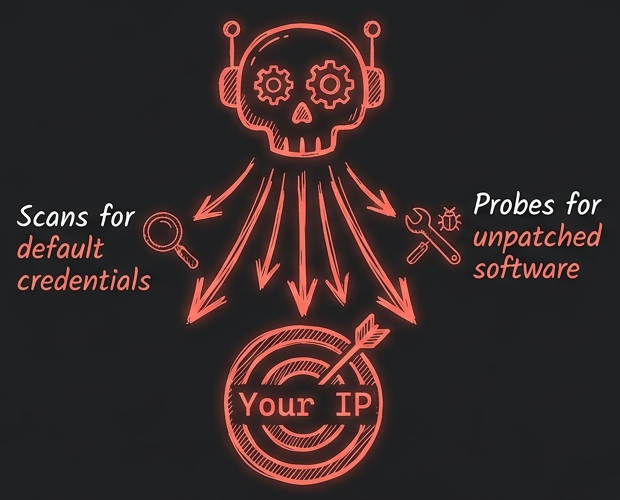
Every Linux server on the internet is being probed right now, including the ones nobody knows exist. Automated bots sweep cloud IP ranges around the clock, and a new virtual server is typically discovered within minutes of coming online. The scanning begins before any work is done on the machine: a fresh install and an SSH daemon doing what SSH daemons do, listening, is qualification enough.
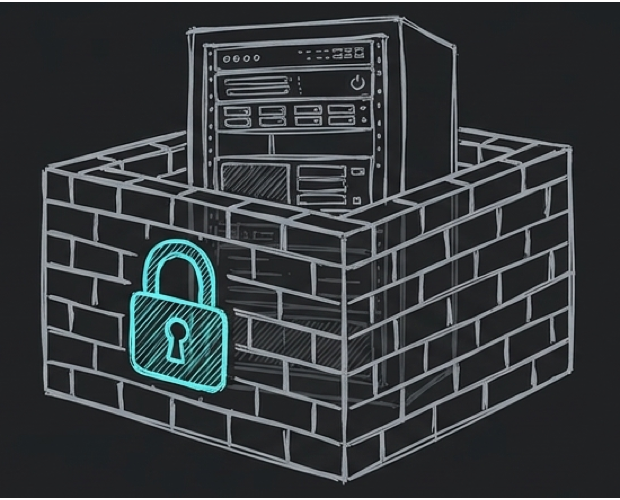
Spin one up and check:
grep "Failed password" /var/log/auth.log | tail
The log fills with failed passwords for root, admin, test, and oracle, arriving from addresses all over the world. None of it is personal. Scanning is continuous and indiscriminate, and a public IP address is the only qualification for attention. When a guess succeeds, through a default password, an unpatched bug, or a misconfigured service, the machine quietly becomes someone else’s: relaying spam, mining cryptocurrency, or serving as one hop in an attack on a third party.
Two months ago I installed Arch Linux from scratch and learned how a machine boots. That machine sits on a desk behind a router, which buys it a certain innocence. A server with a public IP address lives in the open. A fresh install assumes the person at the keyboard owns it, that the network is friendly, and that services should be reachable by default. Hardening is the work of walking those assumptions back, one at a time.
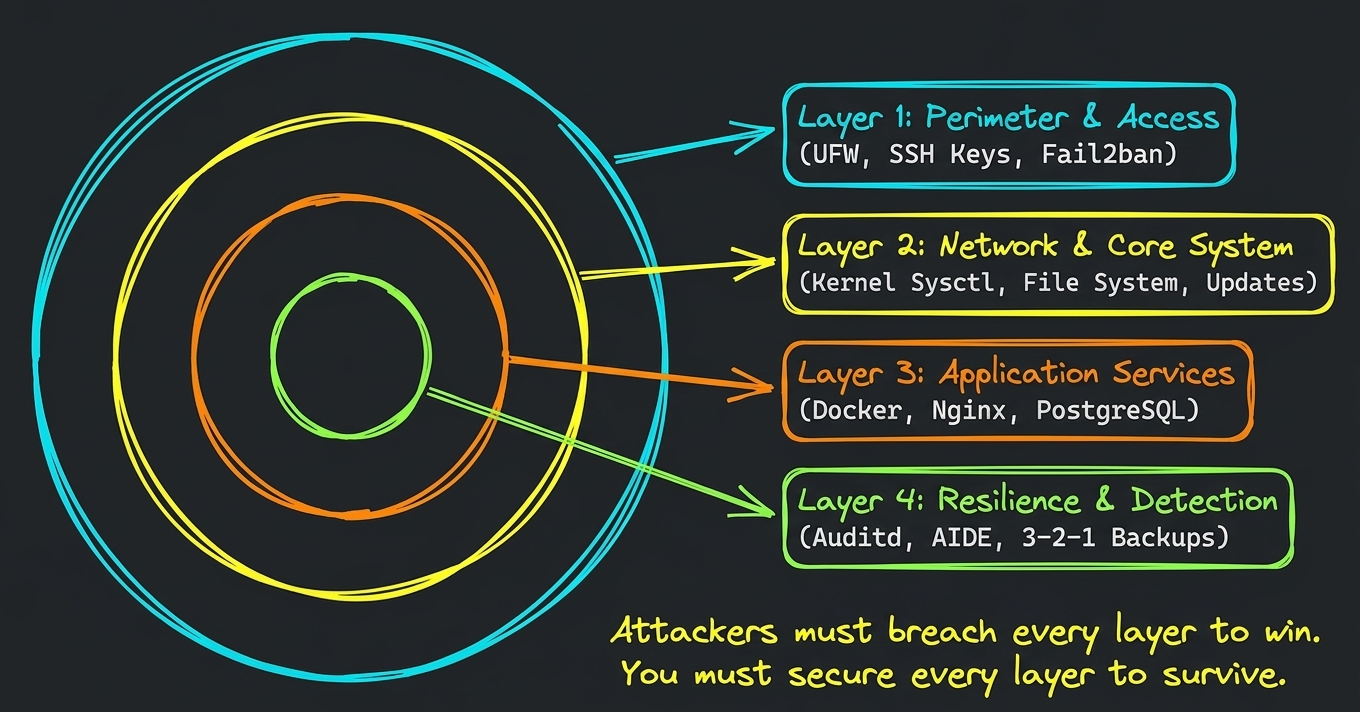
This post is a first pass at that work, and every change below is one of three ideas wearing different clothes. Attack surface: every running service, open port, and user account is a door, and fewer doors means less to defend. Least privilege: everything on the machine should hold only the authority it needs, so a mistake or an exploit has a small blast radius. Defense in depth: controls come in layers, so one failure stops short of the whole system.
Stop Being Root
Most cloud images open with a root login, and the first real act of hardening is to stop using it.
Every command you run inherits your authority. Work as root and a single typo, or one malicious script, means total loss, because every file on the machine is in play. Root is also the one account every attacker tries first, precisely because it is guaranteed to exist.
adduser deployer
usermod -aG sudo deployer
The first command creates an ordinary user. The second adds it to the sudo group. The value is in how sudo elevates: per command, as a deliberate decision, each use logged with who, when, and what. Accidents run with my permissions and leave the rest of the machine alone.
Where deployer only needs to restart services and read logs, sudoers can be narrowed further with visudo, granting only the specific commands the job requires. Least privilege is just a sentence in a config file.
One Door, Locked
SSH is the front door of a server, and usually the only one. Passwords are its weakest part: strong ones are merely expensive to crack, weak ones are free, and bots never tire of trying. Keys change the game. Authentication becomes a proof signed with a private key that never leaves my laptop, verified by a public key on the server. There is nothing left to guess.
# on my local machine
ssh-keygen -t ed25519 -C "me@example.com"
ssh-copy-id deployer@server-ip
Then the server stops accepting the old way entirely. In /etc/ssh/sshd_config:
PermitRootLogin no
PasswordAuthentication no
AllowUsers deployer
Root can no longer log in at all. Passwords no longer log anyone in. A valid key on a valid account is still refused unless the account appears on the AllowUsers list, so a user created quietly by an attacker gains nothing.
The discipline around this file matters as much as its contents. Before restarting SSH, test the config with sshd -t, which reads it and reports errors without applying anything. Keep the current session open while verifying the new one works. Console access through the cloud provider is the plan B, because locking yourself out of a remote machine is the most common way this step goes wrong.
Bots can still knock, and fail2ban is the bouncer. It tails the auth log and bans any address that fails too often:
apt install -y fail2ban
A small jail configuration, three attempts and a one-hour ban, turns a brute-force campaign into a handful of log lines. Even with passwords gone entirely, it is defense in depth: the next attack loses cheaper than I do.
Default Deny
Before writing firewall rules, I needed to know what the machine was exposing:
ss -tulnp
Every line is a program with a port open and waiting, and a few of the results are usually surprises. You can only close doors you have counted.
Then the firewall itself, with ufw:
ufw default deny incoming
ufw default allow outgoing
ufw allow 22/tcp
ufw --force enable
Default deny incoming is a rule about rules: everything arriving is refused until it has been explicitly introduced. Outbound stays open so package updates and DNS keep working. One command per service the machine actually runs. For SSH, ufw limit ssh/tcp goes further, throttling connections from a single source, which is rate limiting as a firewall feature.
The strongest firewall decision happens outside the firewall entirely. A database bound to 127.0.0.1 in its own config needs no firewall entry, because no socket ever faces the street. Attack surface you remove beats attack surface you defend.
Patches, or It Didn’t Happen
Most breaches exploit vulnerabilities that were known and already patched. Cloud images are born weeks or months behind on security fixes, so the first commands after provisioning are the least glamorous and most important:
apt update && apt full-upgrade
Then the machine takes over its own patching. unattended-upgrades installs security fixes as they ship, with no waiting for me to remember. One honest caveat: kernel patches sit idle until the kernel is reloaded, so the configuration either reboots at 04:00, when traffic is low, or the reboot goes on my calendar. Stale software is attack surface that ages in place.
Files and the Kernel
The Arch install taught me that everything in Linux is a file. Hardening, it turns out, is largely the same lesson with stricter permissions:
chmod 700 ~/.ssh
chmod 600 ~/.ssh/authorized_keys
Any other user who can read those keys owns them as fully as I do. The same logic guards /etc/shadow, the password database, at 600.
More dangerous than loose permissions are binaries with the setuid bit: programs that run as their owner, usually root, no matter who invokes them. passwd needs it to edit /etc/shadow as an ordinary user. Every other one is a privilege escalation waiting for a bug:
find / -perm -4000 -type f 2>/dev/null
On a minimal install the list comes back short, which is the point. The rule is to understand every entry and strip the bit from anything that has failed to earn it.
/tmp earned its own line in /etc/fstab. It is world-writable by design, which makes it the classic place to stage an exploit, so it is mounted noexec,nosuid,nodev and anything written there stays data. /tmp remains useful and stops being a launchpad.
And the kernel knobs? Also files. /etc/sysctl.d/99-hardening.conf:
net.ipv4.tcp_syncookies = 1
net.ipv4.conf.all.accept_redirects = 0
net.ipv4.conf.all.rp_filter = 1
kernel.kptr_restrict = 2
sysctl –system applies them. SYN cookies keep a flood of half-open connections from exhausting memory. Refusing ICMP redirects declines a stranger’s offer to reroute my traffic. Reverse path filtering drops packets claiming impossible origins. And kptr_restrict hides kernel addresses from unprivileged users, information whose only customer is an exploit author. This is defense in depth at the lowest level: a layer that works below the firewall, before the application, with neither one knowing.
Watch the Machine Watch Itself
You can only defend what you can see. auditd puts a witness on the files that matter most:
auditctl -w /etc/passwd -p wa -k identity
auditctl -w /etc/sudoers -p wa -k sudoers
Any write or attribute change to the identity files now produces a log record. Attackers commonly persist by creating an account; that is a system call, and system calls leave a trail now.
There is an uncomfortable truth about local logs, though: whoever owns the machine owns the log. An attacker with root deletes the evidence on the way out. Forwarding logs to a separate host, which takes one syslog line in rsyslog, means the story survives the crime. This is defense in depth applied to forensics.
Finally, I wanted a grade. Lynis audits the system against a large body of hardening practice and returns a score:
apt install -y lynis
lynis audit system
A first run is usually humbling, which is what a good first run should be.
Keeping It There
The first pass does most of the work. After that, hardening is maintenance: re-run the audit each quarter, skim the auth log, and delete the firewall rule a retired service left behind. The machine drifts, the audit notices, and the next pass puts it back.
The server now has keys where passwords used to be, a firewall that refuses strangers, updates that apply themselves, and an audit that tells the truth. That makes it a reasonable place to run real software, which is where this series goes next.